AI Storyboard Generator Free: Top 5 Best Tools to Plan Better Videos in 2026
Sohel
July 8, 2026
9 min read
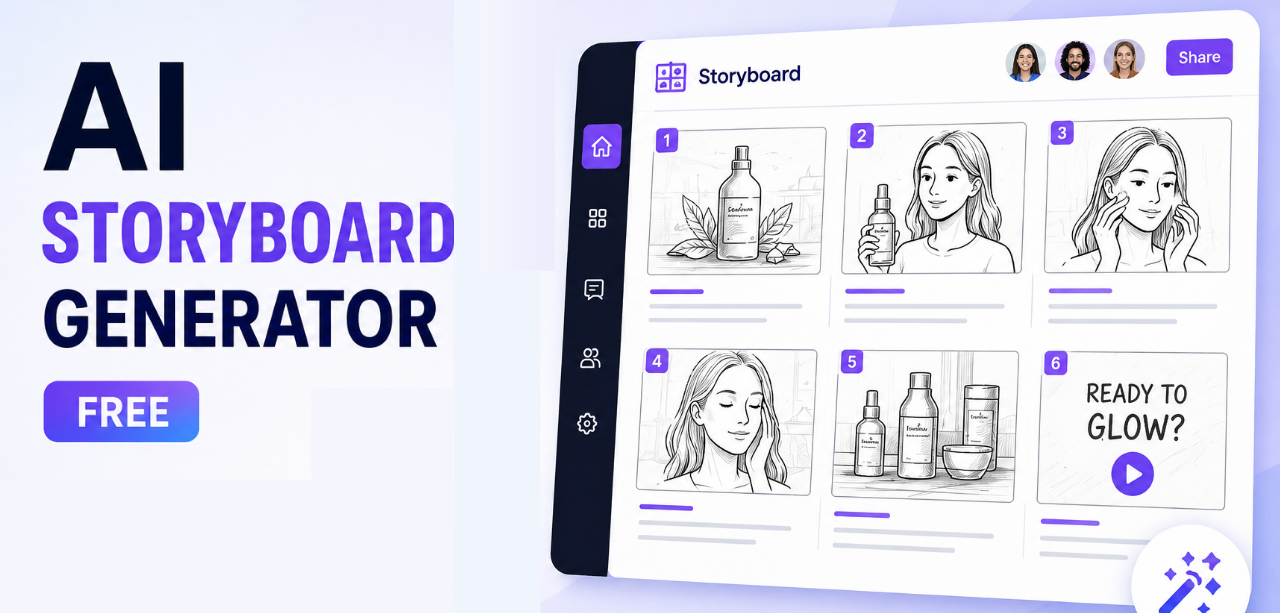
Planning a video ad from scratch is harder than it looks. Teams juggle scripts, shot lists, and creative feedback long before a single frame is filmed or generated, and misaligned expectations often lead to costly reshoots or repeated revisions. Storyboarding solves this by giving everyone a visual blueprint to react to before production begins.
Artificial intelligence has made this process dramatically faster. Instead of sketching scenes by hand, marketers and creators can now describe an idea in plain text and get a structured, scene-by-scene visual plan in minutes. That is exactly why so many teams are searching for a reliable AI storyboard generator free of cost, one that does not compromise on quality or flexibility.
In this guide, we compare the top 5 AI storyboard generators available in 2026, breaking down their features, strengths, and ideal use cases so you can choose the right one for your workflow.
A storyboard is a sequence of illustrated scenes that maps out a video before it is produced, showing camera angles, actions, and pacing frame by frame. Traditionally, this required a trained illustrator and hours of manual sketching.
An AI storyboard generator automates this process. It takes a text prompt, script, or product description and converts it into a structured set of visual scenes, often within minutes. Many modern tools go a step further, allowing users to upload a reference image and generate storyboard frames based on it, a capability known as image-to-storyboard generation.
This shift from manual sketching to AI-assisted planning benefits marketers and creators in several ways:
AI storyboarding is now widely used across advertising, marketing, YouTube content, product videos, social media, explainer videos, and agency workflows, anywhere a team needs to visualize an idea before committing production resources to it.
Before paying for a premium tool, most teams start with a free AI storyboard generator to test the workflow. The benefits are significant:
Here is a closer look at the five leading AI storyboard tools available today, starting with the most marketing-focused option.
Dilogs AI is built specifically for marketers and advertisers rather than filmmakers, which makes it stand out on this list. It converts a simple product idea or ad concept into a structured, scene-by-scene storyboard using AI, letting teams see exactly how an advertisement will look before any video is generated.
Key capabilities include:
What makes Dilogs AI especially useful is that it combines AI storyboarding with AI ad generation in a single platform. Users can approve a storyboard, make edits, and generate the final video ad with one click, reducing the back-and-forth that usually slows down campaign production.
Best For: Marketing teams, advertisers, agencies, and brands creating AI-powered advertisements.
Boords offers an AI storyboard assistant that turns scripts into visual scenes, alongside solid collaboration features for creative teams. It is widely used in film and video production circles.
Pros:
Cons:
Best For: Filmmakers, video producers, and creative agencies.
StoryboardHero focuses on turning scripts into presentation-ready storyboards, making it a good fit for teams that need to pitch ideas internally or to clients.
Pros:
Cons:
Best For: Teams that need quick, presentation-style storyboards.
Canva’s AI-assisted whiteboard and Magic Design features can be adapted for basic story planning, especially for teams already using Canva for design work.
Pros:
Cons:
Best For: General design teams needing lightweight story planning.
Krock.io centers on storyboarding within a broader video production review workflow, making it useful for teams managing structured feedback across multiple stakeholders.
Pros:
Cons:
Best For: Video production teams managing multi-stakeholder feedback.
| Tool | Free Plan | AI Storyboard | Collaboration | Best For |
| Dilogs AI | Yes | Yes (AI-generated, ad-focused) | Yes | Marketers & ad teams |
| Boords | Limited | Yes (script-to-storyboard) | Yes | Filmmakers & agencies |
| StoryboardHero | Limited | Yes (script-based) | Basic | Presentation-style boards |
| Canva AI | Yes | Partial (Magic Design) | Yes | General design teams |
| Krock.io | Limited | Yes | Yes (review workflow) | Video production teams |
Not all AI storyboard tools are built the same. When evaluating options, look for:
Visual planning has a direct impact on campaign performance. Marketing teams commonly use AI storyboards for:
For example, a brand testing multiple ad concepts for a product launch can storyboard each variation first, gather quick feedback from stakeholders, and only move forward with the concept that resonates, rather than producing several full videos and comparing after the fact. This visual-first approach shortens approval cycles and reduces wasted production spend.
Among the tools compared above, Dilogs AI is built specifically for advertising and marketing use cases rather than general video production. It brings together an AI storyboard generator and an AI ad generator in one platform, so teams can preview an advertisement visually before any video is generated.
| Why Marketing Teams Choose Dilogs AI Purpose-built for advertising and marketing campaigns, not general filmmaking Combines AI storyboarding with AI ad generation in a single workflow Lets teams preview and approve an ad concept before video generation Reduces revisions and speeds up creative approvals Supports Instagram, Facebook, YouTube, LinkedIn, and product ad formats Simple enough for beginners, capable enough for professional teams |
By letting teams see a structured visual concept before committing to full ad production, Dilogs AI reduces the guesswork that typically slows campaign timelines down.
Ans: Yes. Several tools, including Dilogs AI, Boords, and Canva AI, offer free plans or free tiers that support basic AI storyboard generation.
Ans: Dilogs AI is best suited for marketing teams because it combines AI storyboarding with AI ad generation for platforms like Instagram, Facebook, YouTube, and LinkedIn.
Ans: Yes. Most modern AI storyboard generators, including Dilogs AI, can convert a simple text prompt or product description into a scene-by-scene visual storyboard.
Ans: Yes. Tools like Dilogs AI are specifically designed for advertising use cases, letting marketers visualize an ad concept before generating the final video.
Ans: Many free plans offer enough functionality for professional use, especially for early-stage concept planning, though advanced teams may eventually need paid tiers for higher usage limits.
Ans: Dilogs AI turns a product idea or ad concept into a structured storyboard, then allows users to approve, edit, and generate the final AI video ad from that same workflow.
Ans: Yes. AI storyboard generators can automatically break a script or prompt into individual scenes, complete with suggested visuals for each one.
Ans: Dilogs AI and Canva AI are both considered beginner-friendly, thanks to their simple interfaces and guided, prompt-based workflows.
AI storyboards save time and improve creative planning by giving teams a clear visual reference before production begins. A free AI storyboard generator makes this kind of professional pre-production accessible to creators, startups, and agencies alike, not just large studios with dedicated design teams.
The right tool ultimately depends on your workflow. Filmmakers may prefer Boords or Krock.io, while general design teams might lean on Canva AI. But for marketers and creative teams building advertising campaigns, a platform that combines storyboarding with ad creation offers a clear advantage.
That is where Dilogs AI stands out. By letting teams visualize, refine, and approve an ad concept before generating the final video, it turns storyboarding into a direct step toward a finished, high-performing advertisement, making it a powerful choice for planning and creating AI-driven advertising campaigns efficiently.