How Storyboards Improve Video Marketing
Sohel
September 29, 2026
11 min read
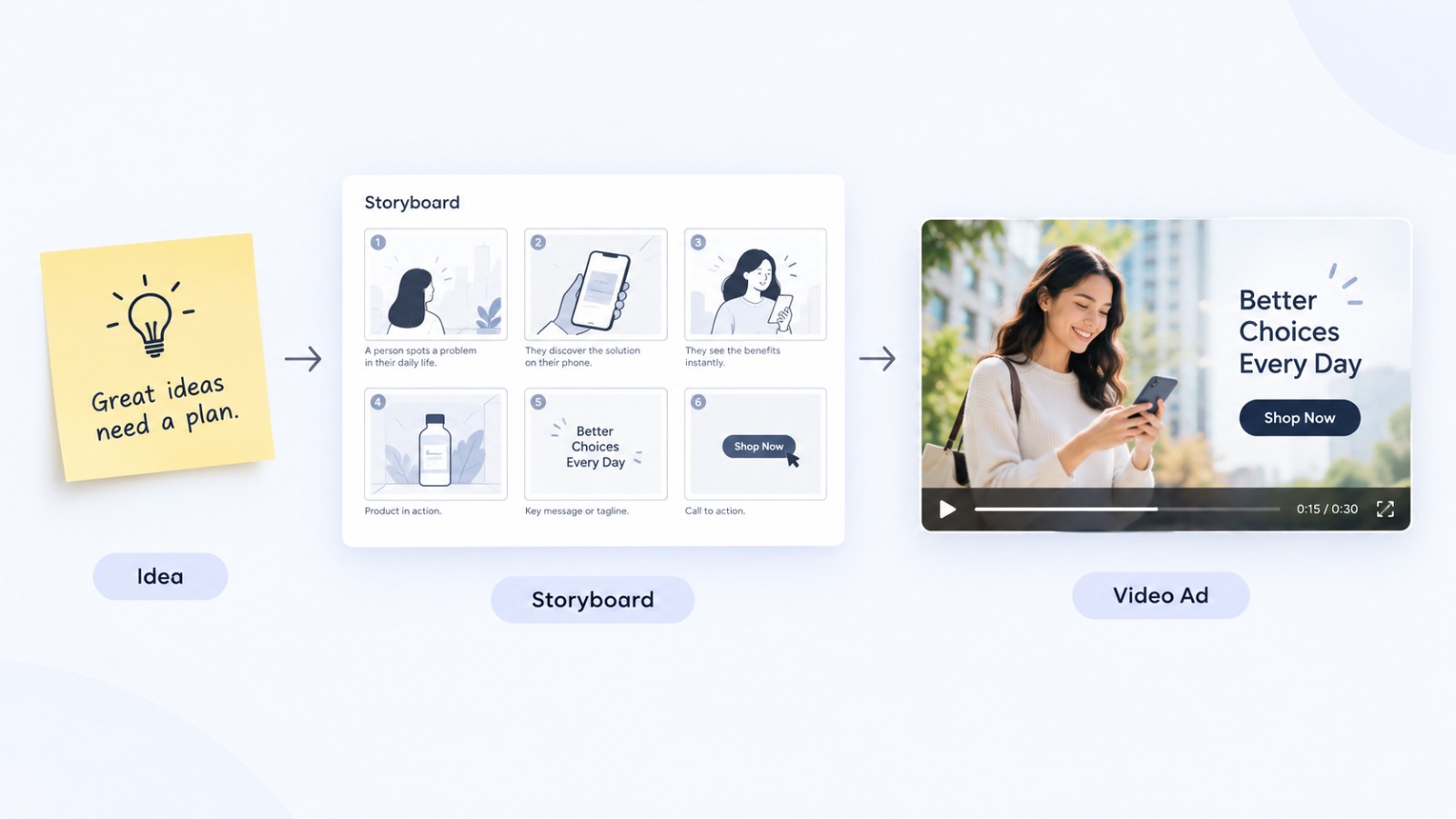
Most video ads that fail don’t fail in editing. They fail before a single frame is shot, when the idea jumps straight from a brief to a camera without anyone mapping out what the video will actually say and show. A storyboard is the step that closes that gap. It’s a simple, visual plan that lets a marketing team see a video before it exists, catch problems while they’re still cheap to fix, and get everyone, from the copywriter to the client, agreeing on the same idea before production starts.
What is a storyboard, and how does it improve video marketing? A storyboard is a scene-by-scene visual outline of a video, showing what happens in each shot, what’s said, and how one scene moves into the next. It improves video marketing by turning a vague concept into a concrete plan, which reduces reshoots, keeps the message focused on the target audience, and makes it far easier for a team to collaborate and approve ideas before spending time and budget on production.
A storyboard is a sequence of panels, usually simple sketches or AI-generated frames, that lay out a video shot by shot before it’s produced. Each panel typically includes:
A simple example. Imagine a 30-second Instagram ad for a skincare brand. The storyboard might show: Scene 1, a close-up of dry skin with a problem-focused voiceover; Scene 2, the product appearing with a demonstration; Scene 3, a before-and-after shot; Scene 4, the logo and a call-to-action text overlay. Seeing all four scenes laid out at once makes it obvious whether the story flows and whether the message lands in the first few seconds, long before a camera or an AI video tool is involved.
Here’s why storyboarding matters specifically for marketers, not just filmmakers.
Makes the video concept easier to visualize. A written brief is open to interpretation. A storyboard removes the guesswork by showing exactly what the finished video will look like, scene by scene, before anyone commits resources to it.
Improves creative planning. Laying out every scene forces the team to think through pacing, visual variety, and messaging in advance, instead of figuring it out mid-shoot or mid-edit.
Helps maintain a clear story. Marketing videos have seconds to make a point. A storyboard keeps the narrative arc, problem, solution, proof, call-to-action, visible as a whole, so nothing gets lost or repeated.
Reduces production mistakes. Missing shots, unclear transitions, and mismatched messaging are far cheaper to catch on paper (or on screen) than after filming or generation is complete.
Saves time and production resources. Every scene that’s approved in advance is a scene that doesn’t need to be reshot, re-edited, or regenerated. For agencies working across multiple ad variations, this adds up fast.
Makes collaboration easier. A storyboard gives copywriters, designers, clients, and video editors a single shared reference. Feedback becomes specific (“change the visual in scene 3”) instead of vague (“this doesn’t feel right”).
Helps marketers review the idea before production. Stakeholders can approve, or reject, a concept at the cheapest possible stage: before any real production work has happened.
Improves consistency across scenes. A storyboard makes it easier to keep tone, branding, and visual style consistent from the first frame to the last, which matters a lot when multiple people or tools are involved in producing a single video.
Makes video ads more focused on the target audience. Planning each scene against the audience and message keeps the video from drifting into content that looks good but doesn’t serve the marketing goal.
Makes it easier to create multiple versions of a video. Once a storyboard exists, it’s simple to swap a scene, shorten the sequence for a different platform, or test an alternate hook, without starting the creative process from zero.
Keeping the comparison factual and simple makes it easier to see the trade-off at a glance:
| With a Storyboard | Without a Storyboard |
|---|---|
| Clear visual direction from the start | Unclear visual direction during production |
| Easier collaboration and feedback | More communication gaps between team members |
| Scenes are planned in advance | Frequent changes during or after production |
| Revisions happen early and cheaply | Revisions happen late, after work is already done |
| Better control over the final product | Higher risk of wasted time and budget |
Storyboarding is especially useful for paid and organic video ads, where budgets and timelines are tighter than in traditional film production.
Facebook and Instagram video ads: A storyboard helps confirm the hook in the first three seconds works before any editing time is spent. YouTube ads: Longer formats benefit from mapping out pacing so the message doesn’t lose viewers halfway through. LinkedIn video content: Storyboards help keep B2B messaging professional and on-point across every scene. Product advertisements: Planning shots in advance ensures the product is shown clearly and at the right moments. Short-form social videos: With only a few seconds to work with, a storyboard forces every scene to earn its place. Brand videos: Storyboards help protect tone and consistency across longer, more narrative-driven content.
In each case, the underlying benefit is the same: marketers get to review the visual direction and messaging before investing significant time, budget, or production effort into a video that might not work.
AI storyboarding tools let marketers turn a written idea into a visual sequence of scenes in minutes instead of hours. Rather than sketching frames by hand or briefing a designer, a marketer can describe a concept and get a visual first draft to react to. This is useful in a few specific ways:
It’s worth being realistic here: AI storyboarding speeds up the planning stage and helps visualize ideas faster. It doesn’t replace strategic thinking about the message or audience — that part is still on the marketer.
Dilogs AI is an AI ad generation platform that treats storyboarding as part of the creative workflow, not an optional extra step. The approach follows a simple sequence: plan the visual story first, review the concept, make changes if needed, then generate the video.
This matters because it’s easy for AI video tools to produce a lot of output fast without anyone checking whether the underlying idea holds together. Starting from a storyboard gives marketers a chance to catch a weak hook, a confusing scene order, or an off-brand visual before a full video is generated, rather than after.
Within this workflow, Dilogs AI brings together:
Want to see how AI storyboarding can improve your video creation workflow? Try Dilogs AI or book a demo to see the workflow in action.
Q: What is a storyboard in video marketing? Ans: A storyboard is a scene-by-scene visual plan for a video, showing the shots, actions, on-screen text, and dialogue before production begins. In video marketing, it’s used to map out an ad or brand video so the team can review the concept before committing time and budget to producing it.
Q: Why are storyboards important for marketing videos? Ans: Storyboards are important because they turn a written brief into something visual and reviewable. This helps teams catch weak messaging, unclear pacing, or off-brand visuals early, when changes are cheap, rather than after a video has already been produced.
Q: How does storyboarding improve video production? Ans: Storyboarding improves production by giving everyone involved — writers, designers, editors, and clients — a shared visual reference. This reduces miscommunication, cuts down on reshoots or re-edits, and keeps the finished video aligned with the original plan.
Q: Can storyboards save money on video production? Ans: Yes. Catching a messaging or visual problem at the storyboard stage costs almost nothing to fix. Catching the same problem after filming or full video generation usually means reshooting, re-editing, or regenerating content, which costs both time and budget.
Q: How do you create a storyboard for a marketing video? Ans: Start by defining the marketing goal and audience, then decide on the core message. Break the video into scenes, sketch or generate the visuals for each one, add dialogue or on-screen text, and review the full sequence before moving to production.
Q: What is AI storyboarding? Ans: AI storyboarding uses AI tools to turn a written concept into a visual sequence of scenes automatically, instead of sketching frames by hand. It helps marketers see an idea visually and explore different creative directions faster.
Q: Can AI create storyboards for video ads? Ans: Yes. AI storyboarding tools can generate scene-by-scene visuals from a written brief, which marketers can then review and adjust before generating the final video ad. This speeds up the planning stage without replacing the strategic decisions behind the message.
| AI Instagram Ad Generators | AI Facebook Ad Generator |
|---|---|
| Gemini vs Copilot | Adidas Uses AI |
| AI Storyboard Generators | Perplexity vs ChatGPT |
Generate the next concept
Use the AI storyboard generator, connect Dilogs in Claude and ChatGPT, or check pricing.